Playlist import
Bring a playlist over from another service into a new Immerle playlist. Import is source-pluggable: Spotify and Deezer ship first, more sources can be added later without changing how import itself works.
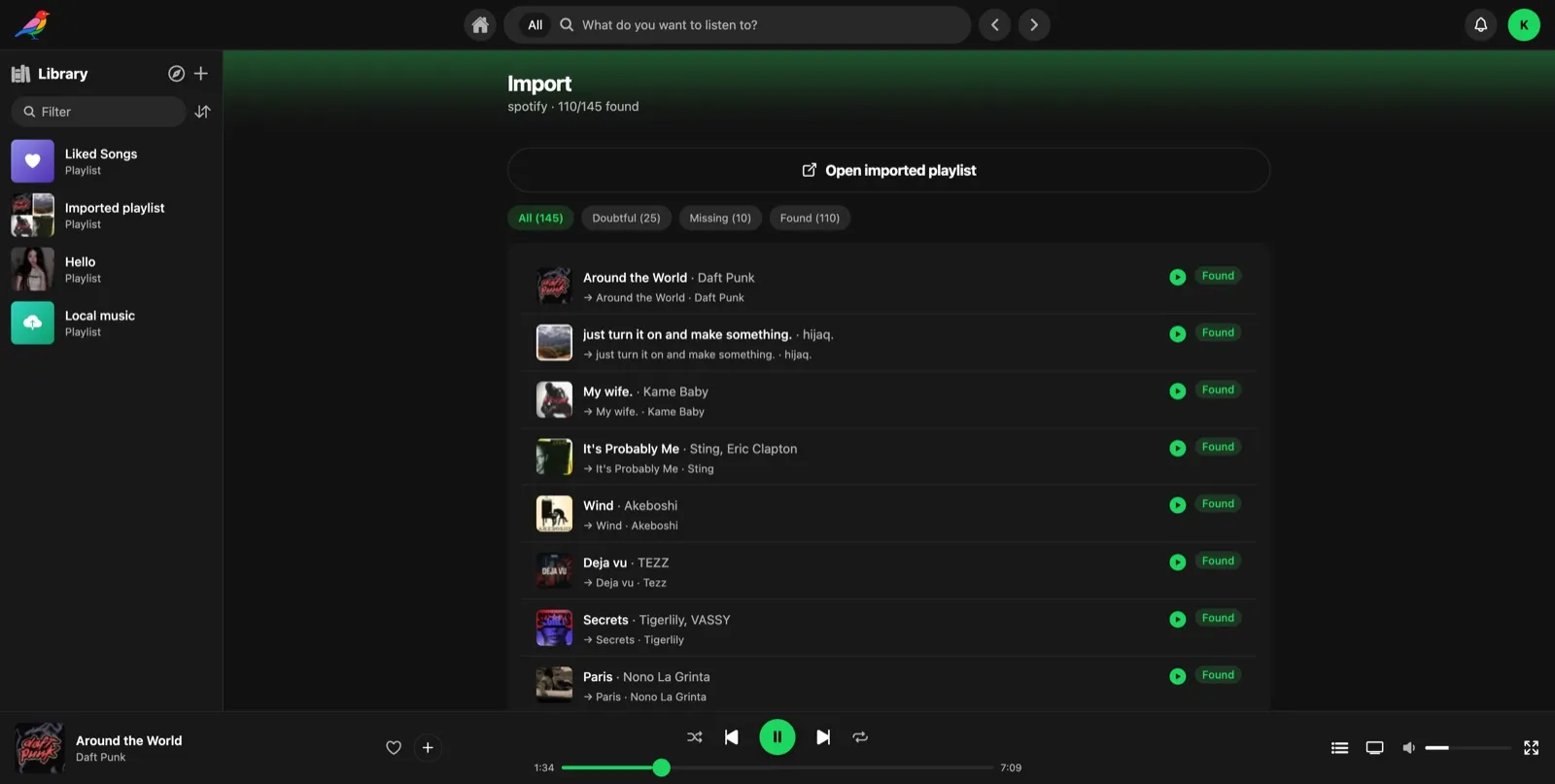
The import runs in the background: a job is created immediately, and each source track is matched to your on-demand catalog one at a time, so a client can show live progress instead of waiting for the whole playlist.
Sources
| Source | How it works | Requirements |
|---|---|---|
| Spotify | Fetched directly by your instance, it replays the same anonymous-access calls Spotify's own web player makes to read a public playlist | None: always available, no federation hub or Spotify credentials needed |
| Deezer | Fetched directly from Deezer's public API (no auth needed for public playlists) | None: always available |
You can point an import at either a bare playlist id or a full playlist URL from the source service.
How a track resolves
Each track in the source playlist is searched for across your enabled on-demand providers and scored by how closely the result matches. Depending on the outcome, a track ends up in one of four states:
- Matched: a high-confidence result was found, downloaded and added to the playlist automatically.
- Doubtful: a candidate was found, but the match wasn't confident enough to add automatically. It's held for you to review.
- Missing: no candidate was found on any provider.
- Failed: a search or download error occurred.
Anything that isn't matched can be fixed by hand afterwards: either accept the flagged candidate as-is, or search again yourself with a different query and use that result instead. Either way, once resolved the track is downloaded and appended to the playlist just like a normal match.
Spotify playlists in search
If you'd rather browse a Spotify playlist than import it, an admin can enable the built-in spotify-playlist provider in the provider settings (disabled by default). Global search then also lists public Spotify playlists matching your query. The provider only brings playlists: it never serves tracks itself.
Nothing is imported or downloaded up front:
- On demand: opening a result shows the playlist read-only, with its real name and cover. Its tracks resolve when you play them, local catalog first, then your on-demand providers, just like a chart playlist.
- Keep it: add it to your library to keep it. Kept playlists re-sync from Spotify once a week (new tracks, renames, new cover). Playlists nobody kept are removed after a week.
- Not in public discovery: these playlists don't show up in public playlist discovery. Users only reach them through search or their library.
- Light on Spotify: search results are cached for a week, and an opened playlist is only fetched again once it is a week old. Covers are fetched once by your instance and served from its cache: clients never contact Spotify.